In brief
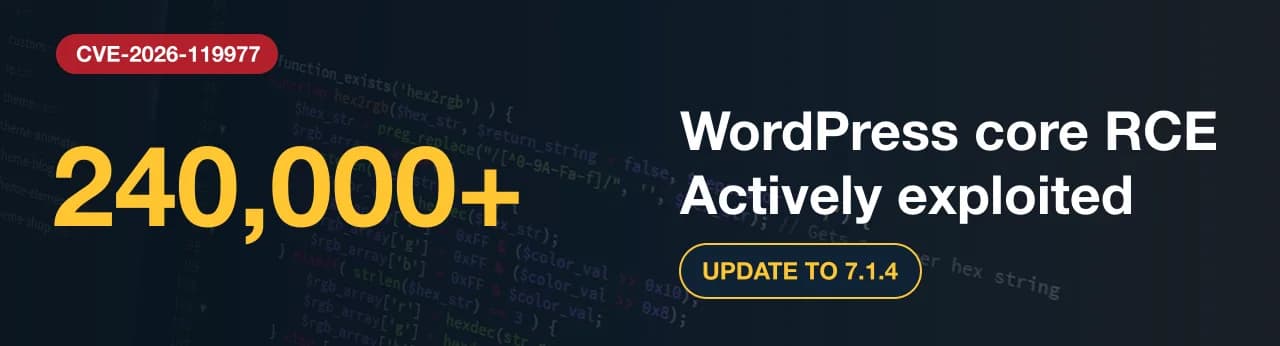
CVE-2026-119977 is a timing flaw (TOCTOU) in the WordPress core upgrade process which, according to published reports, can lead to unauthenticated code execution if an attacker reaches temporary installer files while an upgrade is running. The fix is WordPress 7.1.4, released on 28 October 2026. CISA added it to its Known Exploited Vulnerabilities catalogue on 3 November 2026, and a report dated 7 November counts more than 240,000 blocked exploit attempts. A blocked attempt is not a hacked site: the risk concerns unpatched sites whose temporary upgrade directory can be reached while an upgrade runs.
What happened, and why did CISA list it?
WordPress released the 7.1.4 security update on 28 October 2026. It fixes a weakness which WordPress itself describes as one that “can lead to remote code execution during the upgrade window”. On 3 November the US cybersecurity agency CISA added CVE-2026-119977 to its Known Exploited Vulnerabilities (KEV) catalogue and urged all defenders, not only federal agencies, to prioritise the fix.
The numbers are striking: in a weekend update Wordfence reported 13,095 blocked attacks within 24 hours, and a report dated 7 November counts more than 240,000 blocked attempts since 28 October, peaking between 29 October and 1 November.
How does the attack work, in plain terms?
The flaw is a race condition (TOCTOU: time-of-check/time-of-use). During a full-package WordPress upgrade, the system temporarily stages the installer files in the wp-content/upgrade/ directory. Reports say these locations can be predictable and reachable over the web, and attackers probe automatically to hit a staged file, such as a copy of setup-config.php, within the short window.
The public write-ups differ on the details of the mechanism, so we state only what the sources agree on: the risk is tied to the upgrade window and to web access to the temporary directory, and the fix, among other things, randomises the name of the staging directory.
| Question | Claim | Note |
|---|---|---|
| Fixed version | WordPress 7.1.4 (28 October 2026) | For supported branches, the matching patched release. |
| Affected versions | 4.7.0 through 7.1.3 | According to reports; whether very old branches got a fix is unclear. |
| Severity | Wordfence: CVSS 8,1 (magas) | One report says the WordPress project rates it low: the disagreement stems from the preconditions. |
| Exploitation | CISA KEV, 2026. november 3. | Confirmed active exploitation. |
| Attempts | 240,000+ blocked attempts | Blocked requests, not confirmed breaches. |
Who is actually at risk?
The risk is not uniform. The sites most likely to be affected are those that have not yet received 7.1.4 or the matching patched branch, and where wp-content/upgrade/ can be reached during the core-update window. Automatic background updates are convenient, but the upgrade process still runs, so they do not protect an unpatched version on their own.
If your host manages WordPress updates, ask which version your site runs and when it was updated. If you manage it yourself, the checklist below takes about ten minutes.
What should you do today?
Order matters: protect the directory first, back up the site, then update, and only then verify.
- Find your version. Check Dashboard → Updates, or run “wp core version” with WP-CLI, to see whether 7.1.4 (or the patched branch release) is running.
- Take a backup and confirm it restores. Before a core update, have a fresh copy of both the files and the database.
- Block web access to PHP files under wp-content/upgrade/ at web-server or WAF level if you cannot update immediately. On shared hosting, ask your provider.
- Update to 7.1.4, then verify the core files with “wp core verify-checksums”.
- Review your logs for external requests to PHP files under wp-content/upgrade/, especially setup-config.php, since 28 October.
- Look for leftovers: remaining directories under wp-content/upgrade/, unknown administrators, unexpected plugins, or new PHP files among the uploads.
If you find something suspicious
Do not clean up in a hurry. Save the logs and the current state, restrict access, rotate administrator passwords and access keys, and then work out what changed. A blocked attempt is no reason to panic, but a suspected successful intrusion is an incident: involving a specialist is the faster route.
We cover the common signs of a hacked WordPress site, and the first-60-minutes plan, in a separate article on our blog.
How we checked this story
This article reflects information available up to 9 November 2026. We cross-checked the facts against BleepingComputer, GBHackers and the CISA catalogue; we saw WordPress’s quoted sentence through BleepingComputer’s coverage. The sources disagree on who reported the flaw, so we do not name anyone.
The technical details (affected branches, exact preconditions, the attacker’s steps) still differ between write-ups. If a reliable update or correction appears, we will revise this article with a new date.
WordPress maintenance with Montavio
Scheduled core, theme and plugin updates with backups and checks, so urgent fixes do not depend on you noticing them.
See WordPress maintenance