

Automation
The task repeats. The manual work does not. We connect your systems so data reaches the right place according to defined rules.
An enquiry’s journey, automated.
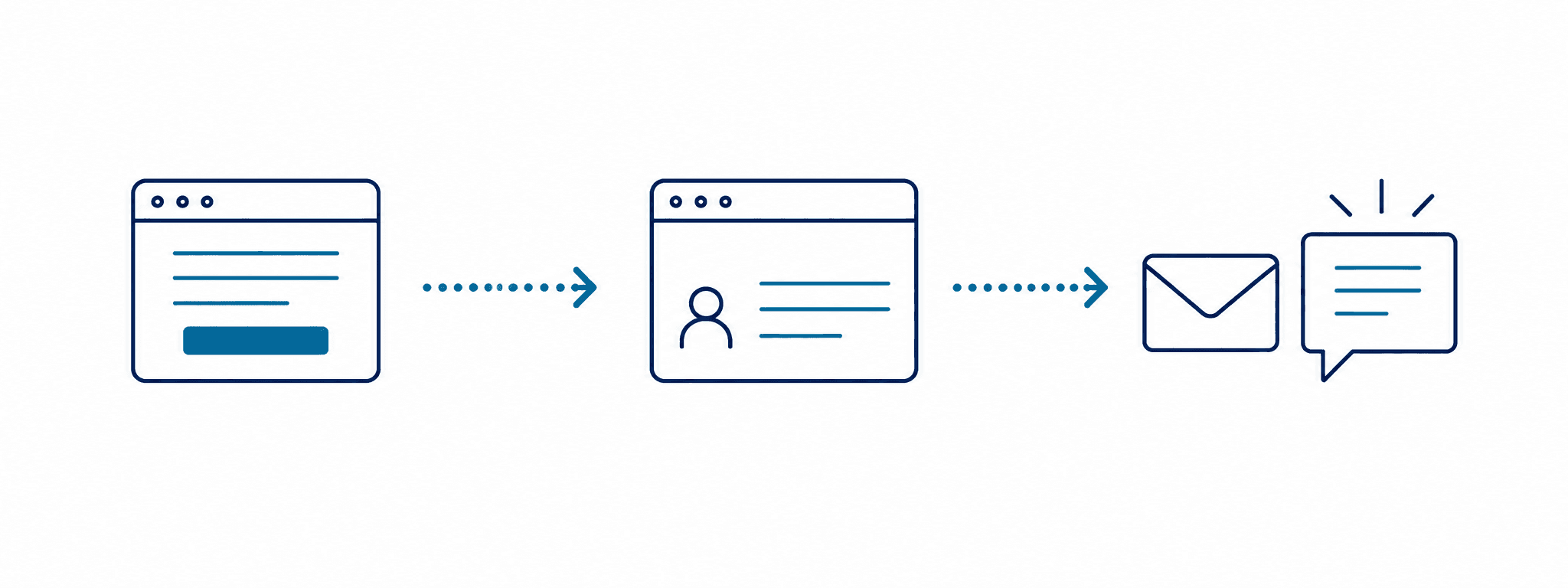
A form is submitted
A prospective customer completes the form on your website.
Sent to the CRM
Data is automatically mapped to the appropriate CRM fields.
The team is notified
Selected team members receive an email or another notification about the new enquiry.
This is one possible workflow. We check the required data connections and access before development.
Which task do you repeat every day?
Data transfer
We send data from forms, emails and spreadsheets to the appropriate system, removing the need for manual copying.
Order processing
We connect order data to inventory and accounting systems using the available interfaces.
Report generation
We gather data from the selected sources and produce the report at the scheduled time.
How the workflow comes together.
- 1
Discovery
We learn about the task, your current systems and the expected outcome.
- 2
Planning
We define data sources, steps, rules and exceptions.
- 3
Development and testing
We build the solution and test it using real examples.
- 4
Rollout and support
We roll out the workflow, explain how to use it and plan ongoing monitoring.
You define the rules.
The workflow fits your operations. Together, we define the data it handles, the rules it follows and what happens when an exception occurs.
Permissions
We define who can access the data and workflows.
Error reporting
We plan logging and notifications so that errors can be detected and investigated.
Human approval
Where necessary, the workflow continues only after a team member has reviewed and approved it.
We quote for your specific project.
Automation costs depend on connected systems, workflow steps, data complexity and exception handling. Provider and operational fees are planned separately and specified in the proposal.
Which systems can the workflows connect to?
Forms, CRMs, online stores, inventory tools, accounting systems and other data sources can be connected. We first check the available APIs, export options and access permissions, as these determine what is possible.
What happens if an error occurs during the workflow?
Error handling, logging and notifications are part of the design. Depending on the task, a workflow may stop, retry or request human review. We also define retry behavior to avoid duplicate operations.
How long does it take to build an automation?
This depends on the connected systems, number of steps and exceptions, and the availability of access. We provide a schedule after discovery; starting with one clearly defined workflow is usually best.
What costs should I expect?
Development costs depend on the number of systems, the complexity of the workflow, and how data and exceptions need to be handled. External services, hosting and ongoing operation are itemized separately in the proposal.
Does automation require AI?
No. Many repetitive tasks can be automated using predefined rules. AI should be used only where the task calls for it; we plan its verification and costs separately.

Have a question? We can help!
Tell us which task you want to automate, and let’s discuss the options.
